
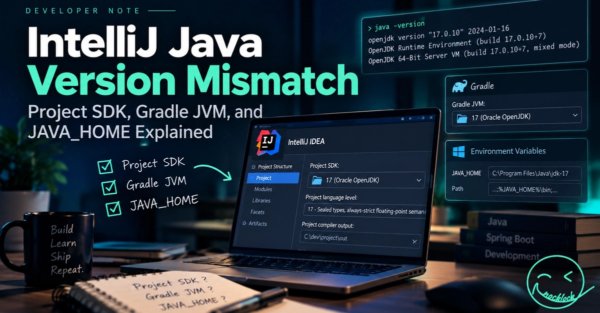
Introduction to IntelliJ Java Version Mismatches
Java development environments rely on multiple layers of configuration to compile, build, and execute code successfully. When working with JetBrains IntelliJ IDEA alongside build tools like Gradle, developers frequently encounter friction points known as an IntelliJ Java Version Mismatch. Project SDK, Gradle JVM, and JAVA_HOME Explained provides the necessary framework to understand how these independent configurations interact, why version conflicts arise, and how to maintain a consistent development workflow across local environments.
Modern Java ecosystems involve numerous moving parts. An Integrated Development Environment (IDE) manages code intelligence, syntax highlighting, and internal compilation. Simultaneously, a build automation tool like Gradle handles dependency resolution, compilation tasks, and artifact packaging. Finally, the operating system manages environment variables such as JAVA_HOME to dictate default runtime behaviors. When these distinct components reference different Java Development Kit (JDK) versions, compilation errors, runtime failures, and unexpected build behaviors occur.
What Changed and Core Concepts
The fundamental architecture of Java development has evolved to decouple IDE tooling from build execution and system-level runtimes. In contemporary software engineering, it is common for developers to use one version of Java for writing code within IntelliJ, a different version for running the Gradle build daemon, and yet another version configured via the operating system’s JAVA_HOME variable.
Understanding an IntelliJ Java Version Mismatch requires examining the three primary configuration pillars:
- Project SDK: The JDK version that IntelliJ IDEA uses specifically for indexing, code analysis, syntax checking, and module-level compilation within the IDE workspace.
- Gradle JVM: The specific Java runtime that executes Gradle tasks, builds, and test suites within the build tool integration layer of the IDE or command line.
- JAVA_HOME: The system-level environment variable pointing to a default JDK installation, which external terminal windows, shell scripts, and standalone command-line executions reference.
When these three layers fall out of alignment, developers experience build failures or bytecode version incompatibility warnings. For instance, if the Project SDK targets a newer language feature while the Gradle JVM runs an older runtime version, the build tool may fail to parse or compile the source files correctly.
Context and Technical Architecture
To fully grasp why these discrepancies occur, one must look at how IntelliJ IDEA interfaces with build systems like Gradle. IntelliJ does not automatically enforce that its internal Project SDK matches the Gradle JVM or the system JAVA_HOME. Instead, each setting serves a distinct operational purpose.
IntelliJ IDEA relies on its Project SDK to provide the Java API stubs and language level features necessary for the editor. If a developer sets the project language level to Java 17, but the Project SDK points to Java 11, the editor flags code errors. Conversely, if the code compiles successfully in the IDE using IntelliJ’s internal builder, running a command-line build via Gradle might fail if the Gradle JVM or JAVA_HOME points to an incompatible runtime.
Gradle itself operates independently of the IDE. It spins up a Gradle Daemon—a long-running background process that executes build tasks efficiently. The Gradle Daemon runs on whatever JVM is designated as the Gradle JVM inside IntelliJ settings or via wrapper properties. If the Gradle JVM version does not match the requirements specified in the project’s build scripts (such as sourceCompatibility or targetCompatibility), Gradle throws compilation exceptions.
Why Version Alignment Matters
Maintaining synchronization between Project SDK, Gradle JVM, and JAVA_HOME is critical for team collaboration, continuous integration pipelines, and reproducible builds. When configurations drift across different developer workstations, build discrepancies emerge. Code that builds cleanly on one machine may fail on another simply because the local Gradle JVM or system JAVA_HOME points to a different minor or major version of the JDK.
Furthermore, bytecode compatibility is strict. Java bytecode compiled with a newer JDK version cannot run on an older Java Runtime Environment (JRE) unless explicit target compatibility flags are set. Mismatches frequently lead to UnsupportedClassVersionError exceptions at runtime, halting deployment pipelines and causing debugging overhead.
Business Implications and Sector Impact
For software development organizations, configuration discrepancies translate directly to lost engineering hours. Developers spending time troubleshooting environment variables, IDE settings, and build tool configurations are not delivering features. Standardizing on unified JDK distributions and ensuring that team members align their IntelliJ Project SDK and Gradle JVM settings reduces onboarding friction for new engineers.
Enterprise environments often mandate specific long-term support (LTS) Java versions for security and compliance reasons. Unaligned local configurations can inadvertently introduce unauthorized Java versions into build artifacts, creating compliance risks or operational instabilities in production environments.
Limitations and Potential Risks
While standardizing configurations mitigates mismatch errors, developers must navigate certain limitations:
- IDE Overrides: IntelliJ allows workspace-level, project-level, and module-level SDK settings, which can sometimes override global defaults and confuse developers.
- Gradle Tooling API Behavior: IntelliJ uses the Gradle Tooling API to sync projects. Changes to external build files do not always automatically trigger a refresh of the Gradle JVM configuration within the IDE.
- Environment Variable Persistence: System-level changes to JAVA_HOME often require restarting the IDE or entire operating system sessions to take full effect across all child processes and terminal tabs.
What to Watch Next
As Java development toolchains continue to evolve, IDE vendors and build tool maintainers are working to streamline environment provisioning. Toolchains features in modern build systems allow Gradle to automatically download and manage the required JVMs for building a project, reducing reliance on manual system-level JAVA_HOME configurations. Monitoring updates to IntelliJ IDEA and Gradle integration plugins will reveal further improvements in automated environment alignment.