
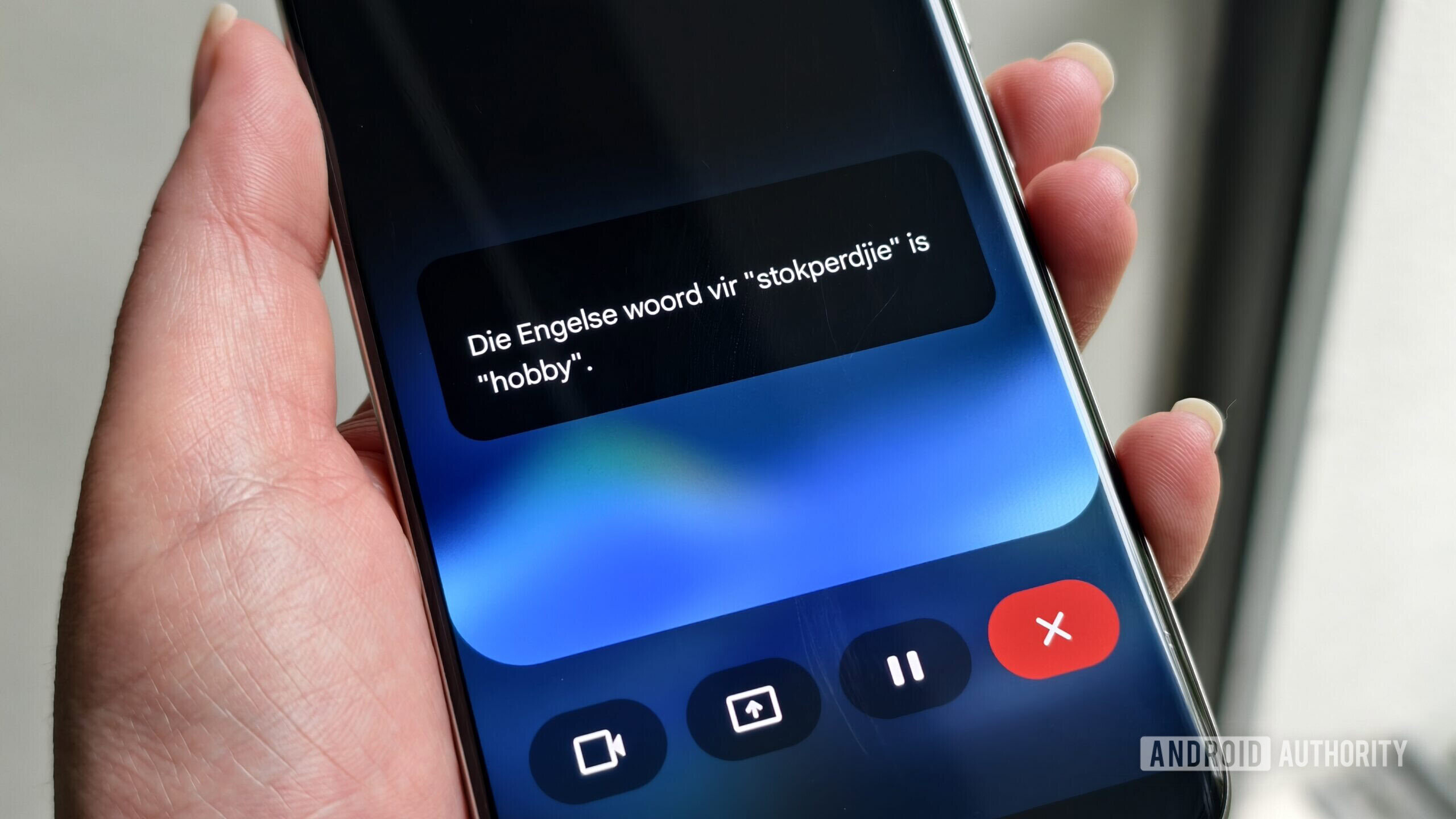
Google is actively testing a redesigned mobile interface for Gemini Live featuring an updated waveform animation at the bottom of the screen and a newly introduced speaker icon button. Discovered via an APK teardown of Google app version 17.65.17, the early-stage Gemini Live mobile UI redesign highlights Google’s ongoing work to refine voice-centric mobile sessions and improve overall user interaction workflows. While these interface adjustments are still in active development and not yet live for everyday public users, they offer a clear glimpse into potential user-experience upgrades for the digital assistant platform.
What Changed in the APK Teardown
Recent technical analysis of Google app version 17.65.17 revealed an unreleased interface layout designed for Gemini Live. The most prominent visual adjustment involves an updated waveform animation positioned cleanly at the bottom of the screen, providing visual feedback during voice interactions. Additionally, the test interface incorporates a brand new button featuring a speaker icon placed near the top-right corner of the display.
Because this interface is currently an early work in progress, it lacks several existing capabilities found in the current public build of the application. Notably, the demo version of this upcoming UI does not respond to active user queries due to its embryonic state. Furthermore, it currently lacks existing features such as video sharing and screen sharing capabilities. Neither the new waveform animation nor the speaker button is active in the current public release of Gemini Live.
Technical and Business Implications
Voice assistants on modern mobile platforms increasingly rely on smooth visual cues and granular audio controls to compete effectively in a crowded market. The addition of a dedicated speaker icon near the top-right corner addresses a specific, persistent interaction friction point for mobile users. Currently, users seeking silent responses from Gemini Live must turn on captions and manually lower or mute their device’s global volume settings.
While the exact implementation of the speaker icon button remains unconfirmed, industry observers note that it will likely allow users to silence Gemini Live’s voice output directly without altering global system volume levels. By streamlining voice-centric mobile sessions through targeted UI improvements, Google could release this redesigned interface alongside other previously reported upgrades, such as an ephemeral video mode and keyboard input support, giving users more flexible ways to interact with the assistant.
Risks, Limitations, and Uncertainties
As with any software feature discovered through reverse-engineering, code analysis, or APK teardowns, significant technical limitations apply. Features spotted in early development builds may change drastically over time or may not ultimately be included in a final public software release.
Google has not officially announced an update timeline or deployment schedule, meaning it remains entirely uncertain if or when the tested interface, updated waveform animation, and speaker button will be released to the general public. Additionally, because the feature is presently non-functional in the test build, its long-term reliability, rendering performance, and behavior under real-world network conditions cannot yet be thoroughly evaluated or verified.
Sector Impact and User Experience
The ongoing evolution of voice assistant interfaces underscores how major technology companies continue to refine conversational artificial intelligence on mobile operating systems. Visual feedback mechanisms, such as animated waveforms, play a critical role in letting users know when an assistant is actively listening, processing, or responding. By experimenting with cleaner layouts and dedicated hardware-independent audio toggles, developers aim to make continuous voice sessions less intrusive in public or shared environments.
For enterprise and consumer ecosystems alike, even minor interface modifications can significantly alter daily usage patterns. If implemented effectively, a dedicated mute control for voice output removes the cumbersome workaround of adjusting master device volumes or toggling closed captions every time a silent response format is preferred.
What to Watch Next
Technology analysts, developers, and everyday users will monitor subsequent beta and stable updates of the Google app for further clues regarding the rollout of these interface adjustments. Key indicators of an imminent public release would include functional query responses within the new UI layout, integration with existing video and screen sharing tools, and official communication from Google regarding enhanced audio control options. Until such announcements occur, these interface revisions remain restricted to internal testing frameworks and teardown observations.